

Fire Your Coach for iPhone.
The lifts and the conditioning in one plan. Log the squats in a tap, run the EMOM after them in the same session, and start the next program from what you actually did.
 Free · No in-app purchases · No password
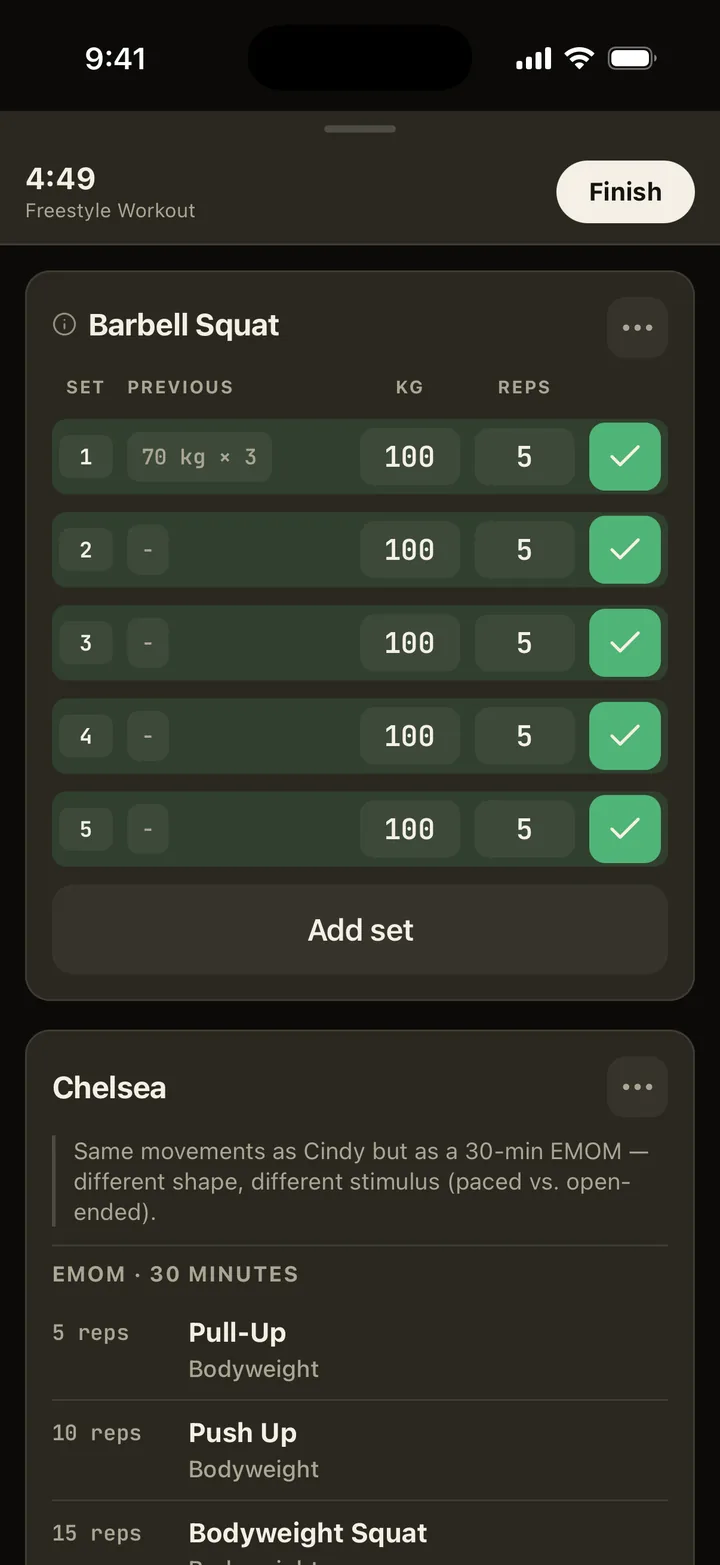

The lifts and the conditioning in one plan. Log the squats in a tap, run the EMOM after them in the same session, and start the next program from what you actually did.
Free · No in-app purchases · No password
| Price | Free. No in-app purchases. |
|---|---|
| Device | iPhone. |
| Sign-in | Sign in with Apple, or a one-time code sent to your email. No password. |
| Conditioning | EMOM, AMRAP, intervals, ladders and tabata-style rounds run inside the session and are logged beside the sets. The structures. |
| Your history | Coming from Strong or Hevy? Import the CSV and your real numbers set the starting loads. |
| AI | Plans and the weekly note are written with AI providers whose terms forbid training on your data. Settings turns it off. |
| Your data | Delete your account and its training data from Settings. |
| Coming soon | A $9 a month connection that lets ChatGPT or Claude read your training record. The app stays free. How it will work. |
| Age rating | 16+. |
Connect Apple Health and last night's sleep, heart rate variability and resting heart rate fill in the readiness check. Those readings stay on your phone, and each workout you finish is written back to Apple Health. Whoop and Oura work through it too, and more sources are on the way.

Download it and build your first plan on your phone. Or build it in your browser now, and it's waiting in the app when you sign in with the email you built it with. Want to see it first? Walk a week on the floor.

No. Fire Your Coach runs on iPhone only. You can still build a free plan in any browser and export it as a PDF, a CSV or Markdown.
Yes. It is free on the App Store, with no in-app purchases.
Install the App Store version in place of the TestFlight one and sign in the same way as before. Your plans and history are stored on your account, so they are already there.
Yes. Download the app and sign in with Apple or your email. No invite needed.